
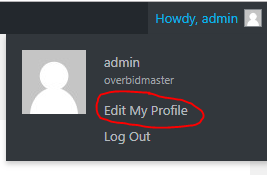
Once you are logged in, look at the top right of the screen and hover your mouse over where it says “Howdy”.
Then click “Edit My Profile”
When your profile is showing, scroll to near the bottom and click “Generate Password”.
It will automatically do a crazy long one, but you can type in what you want.
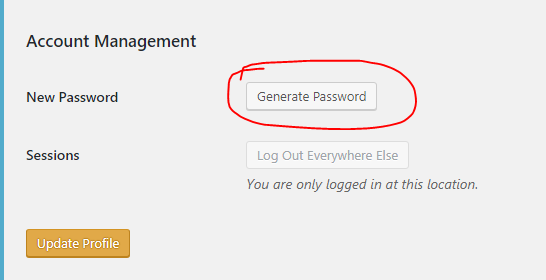
If the system feels it is a weak password, it will ask you to check a box that allows you to go ahead with that one.
